
Black img generator for cinematic dark images
Black img samples
Four black image looks that stay readable
The reference direction is restrained and image-led: sparse navigation, portfolio-like rhythm, and careful contrast. These examples show practical black img outcomes rather than decorative darkness.
Premium black image
A high-aesthetic black img with real light and material detail
This standalone visual shows the target quality: black silk, graphite stone, glass edges, and a narrow rim light. It is dark, but it still has shape, surface, and usable negative space.
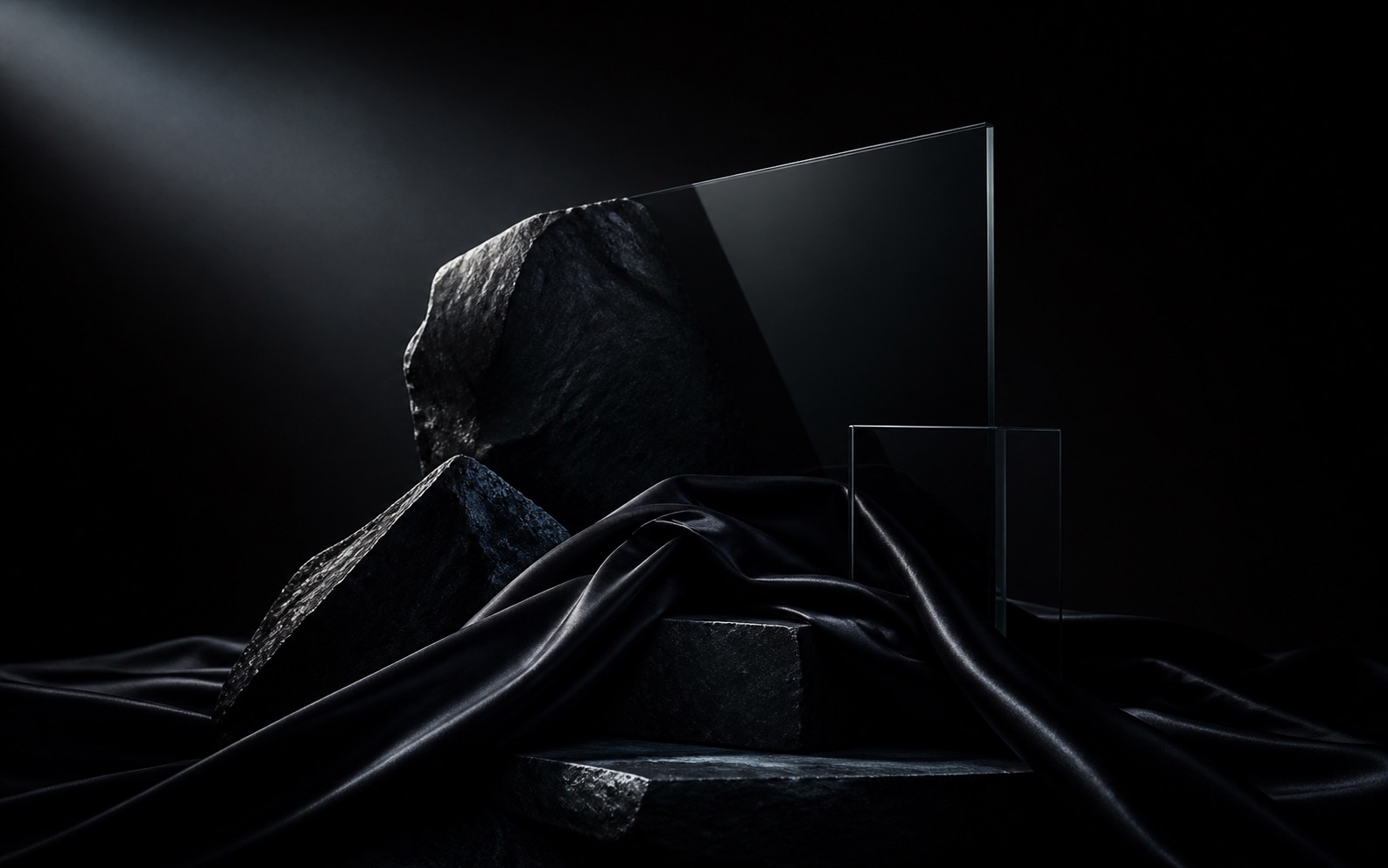
This is the kind of black img the editor is designed to make: not a flat black background, and not an overlit product mockup. The image keeps black dominant while exposing enough highlight detail for a product, poster, album cover, architecture board, or luxury landing section.
Detailed recipes
Concrete black img setups for real use cases
Use these as practical starting points. Each recipe names the job, the control choices, the copy boundary, and the prompt direction so the output feels intentional instead of generically dark.
Product hero
Best for headphones, watches, cosmetics, packaging, and dark-mode SaaS product shots.
- Texture: Graphite or Glass
- Light: NW or NE, brightness 44-56
- Prompt: premium product silhouette, visible edge detail, clean negative space
- Avoid: crushed blacks, busy reflections, unreadable logo area
Poster background
Best for launch graphics, album covers, event posters, and title-safe social images.
- Texture: Silk or Marble
- Light: SW for heavier mood, brightness 34-48
- Prompt: black editorial poster, soft folds, reserved center-left text area
- Avoid: high-contrast clutter behind the headline
Architecture mood board
Best for interiors, dark galleries, luxury materials, and spatial direction references.
- Texture: Marble or Graphite
- Light: NE or SE, brightness 50-64
- Prompt: black architectural planes, soft gray light, depth, quiet scale
- Avoid: pure voids with no floor, edge, or material cue
Workflow
Create a black img without losing the image
A clean black image studio works best when the first view stays focused on the editor. The detailed method, examples, and production notes sit here below the tool: sample-guided generation, refined light, useful texture, and text-safe dark visuals without turning the result into a flat dark rectangle.
Start from a sample
Use a product shot, room render, poster idea, or empty prompt. The generator keeps the composition intent and rebuilds the mood around black.
Write a custom prompt
Describe the exact result you want. The Worker adds the black-image beauty layer when it sends the prompt to the AI provider.
Shape texture and light
Choose silk, graphite, glass, or marble, then set the light angle and brightness so the middle image stays clear.
Export or unlock AI
Download the local preview, copy the final prompt, or start PayPal checkout for paid server-side AI generation when configured.
Settings guide
How to choose black img settings for a useful result
The strongest black image is usually built from small decisions rather than one vague dark prompt. Use the table below to choose settings based on the job: product hero, poster background, architectural mood board, social graphic, or clean text-safe cover.
| When the sample matters | Upload a sample when the crop, silhouette, or object placement is already close. Keep the prompt short and describe what should become black, what should stay readable, and where the copy should sit. This works best for product shots, room renders, packaging, and poster drafts. |
|---|---|
| When texture matters | Choose from 20 texture presets, including Silk, Graphite, Glass, Marble, Velvet, Obsidian, Carbon fiber, Satin, Leather, Smoke, Black paper, Slate, Wet asphalt, Brushed metal, Ceramic, Rubber, Ink wash, Charcoal, Black sand, and Holographic film. Texture should support the subject instead of hiding it. |
| When light matters | Use NW or NE light for a calm hero image, SE for a brighter commercial edge, and SW for a heavier poster mood. If the center becomes too dark, raise brightness before changing the prompt; if it becomes gray, lower brightness and switch to a tighter light angle. |
| When clean space matters | Keep the prompt focused on subject, material, and light. The local preview avoids text overlays so the black image stays clean and useful as a product visual, poster base, or background. |
| When export matters | Use the local PNG export for mood checks, client direction, and prompt review. Use paid server-side AI generation only when the Worker has provider keys, PayPal checkout, and Turnstile verification configured, so the generated black img follows the same settings contract safely. |
Method and limits
What the black img generator sends to AI
The public studio exposes the exact controls that matter for black visuals. The server-side Worker keeps private keys out of the page, verifies Turnstile, combines the custom prompt with the beauty prompt, and sends the final generation request only after access is allowed.
Prompt contract
The generated prompt is intentionally specific. The frontend sends the user's custom prompt, then the backend combines it with sample guidance, selected texture, light angle, brightness, and a fixed aesthetic layer.
- Default aesthetic layer: beautiful, cinematic, elegant, low-key light, refined shadow, visible black detail.
- Negative layer: muddy blacks, crushed detail, flat gray, noisy artifacts, unreadable copy, harsh overexposure.
- Output boundary: the local canvas is a preview, while real AI generation depends on Worker environment variables.
| Canonical domain | https://blackimg.online/ is used in canonical URL, Open Graph URL, schema URL, and same-domain API paths. |
|---|---|
| API path | /api/generate receives the prompt pack. /api/checkout creates a PayPal order and returns a hosted approval URL. |
| Abuse control | Cloudflare Turnstile token is sent to the Worker for checkout and paid generation. The local page uses the public test key until production keys are set. |
| Privacy | Preview editing runs in the browser. Sample images are not uploaded unless the production AI endpoint is configured and the user submits generation. |
| Source and update | This page is checked against the public homepage HTML, Worker runtime contract, robots.txt, sitemap.xml, and llms.txt. Last updated and reviewed on July 5, 2026. |
Pricing and PayPal
Preview for free, unlock server-side black img generation
The Pro plan is selected by default. Choose yearly billing to save 50% on the same black img generation and download rights.
Free
Try first- Generate 6 black img previews and download 3 black img files.
- Choose texture, set light angle, and adjust brightness.
- Use free black img templates for quick sample-guided drafts.
Starter
All templates- Generate 30 black img files and download 30 black img files.
- Choose texture, set light angle, and adjust brightness.
- Use every black img template and write your own custom prompt.
Pro
Default- Generate 500 black img files and download 500 black img files.
- Choose texture, set light angle, and adjust brightness.
- Use every template and write your own custom black img prompt.
Scale
Large batch- Generate 5000 black img files and download 5000 black img files.
- Choose texture, set light angle, and adjust brightness.
- Use every template and custom prompts for large black img batches.
Model context
Plan image prompts with enough context to keep the result usable
Image teams comparing long creative briefs can use the Kimi K3 resource hub to think through model context before turning product notes, lighting direction, and review feedback into a black image workflow.
FAQ
Black img questions answered
Short answers for people searching for black img, black image generator, black background maker, and AI black image editor.
What is a black img generator?
A black img generator creates dark images with controlled light, texture, contrast, and optional text. The goal is not pure black, but readable black visuals for products, posters, architecture, and backgrounds.
Can I generate a black image from a sample?
Yes. Upload a sample image to guide composition in the local preview, then write a custom prompt. In production, the Worker adds the black-image prompt layer before sending the sample and final prompt to the configured AI provider.
Why does the backend add a beauty prompt?
Black images often fail when the prompt only says dark or black. The backend keeps the user's custom prompt and adds beautiful, cinematic, elegant low-key light and refined shadow wording so the result keeps form and detail.
Does the preview add text on top of the black img?
No. The local preview is kept clean, with no visible text overlay, so the black image can be judged by light, texture, and composition first.
Does the page include PayPal checkout?
Yes. The homepage includes pricing and checkout buttons. The browser calls the same-domain Worker endpoint, and the Worker creates a PayPal hosted approval URL when PayPal environment variables are configured.
Is the black img preview private?
The local preview runs in the browser. A sample is only submitted to a server when the production AI endpoint is configured and the user starts server-side generation.